10 Best Cloud Accounting Software Solutions for Startups in March 2026
Startup Accounting
10 Best Cloud Accounting Software Solutions for Startups in March 2026
Compare the 10 best cloud accounting software solutions for startups in March 2026. See how QuickBooks, Xero, and others stack up on automation and features.
The Puzzle Team
4.14.26
In article:
Accounting. Simplified
A bad product lacks competitive advantage. Successful businesses have something unique that's hard to copy. It could be cost efficiency, brand power, or proprietary tech. Without this, you're just waiting to get outperformed. Think of physical retailers being outperformed by e-commerce.
Thank you for being part of our Puzzle community. Stay tuned!
Oops! Something went wrong while submitting the form.
Most accounting software cloud comparisons treat QuickBooks, Xero, and purpose-built startup tools like they're solving the same problem. They're not. If you're tracking ARR, managing burn rate daily, and running dual-basis books for investors, you need different capabilities than a consulting firm billing hourly. We've tested these ten options for startups, focusing on automation depth, fintech integrations that actually work, and whether the software gives you metrics today or makes you wait until month-end.
TLDR:
Cloud accounting software runs online, giving you financial data access anywhere vs. desktop systems locked to one computer.
Puzzle automates up to 98% of transaction categorization and delivers real-time burn rate, runway, and ARR/MRR tracking for startups.
Most cloud accounting tools require manual workarounds for Stripe, Mercury, and Ramp integrations or rely on third-party apps.
Puzzle is AI-native accounting software built for startups and accounting firms, integrating your full fintech stack in minutes.
What is Cloud Accounting Software?
Cloud accounting software runs entirely online. Your financial data lives on remote servers instead of your computer, which means you can access your books from anywhere with an internet connection.
The core functions stay the same: transaction tracking, expense management, financial reporting, and reconciliation. What changes is how you work. Your accountant can review transactions in real time instead of waiting for you to send files. Your co-founder can check the burn rate from their laptop. Cloud-based systems provide financial access anywhere with updates happening automatically without manual installs or backups. Real-time visibility and accessibility let teams collaborate on financial decisions without version control headaches.
Desktop accounting software locks your data to a single machine. Cloud-based systems free it up, making collaboration faster and reducing the risk of losing financial records to a crashed hard drive.
How We Ranked Cloud Accounting Software
We ranked each option based on what actually matters for startups and the firms that serve them: how much time it saves, how well it works with your existing tools, and whether it delivers insights you can act on today instead of next month.
Automation capabilities came first. Does the software reduce manual categorization and reconciliation, or does it just digitize the same old processes? Integration depth mattered next: native connections to Stripe, Mercury, Ramp, and Gusto beat clunky third-party workarounds. Real-time reporting separated tools built for daily decision-making from those designed for monthly compliance exercises.
We also reviewed revenue recognition features and dual-basis accounting support, which SaaS companies need for investor reporting. Security, user experience, and the ability to scale without hiring a full accounting team rounded out the criteria.
Best Overall Cloud Accounting Software: Puzzle
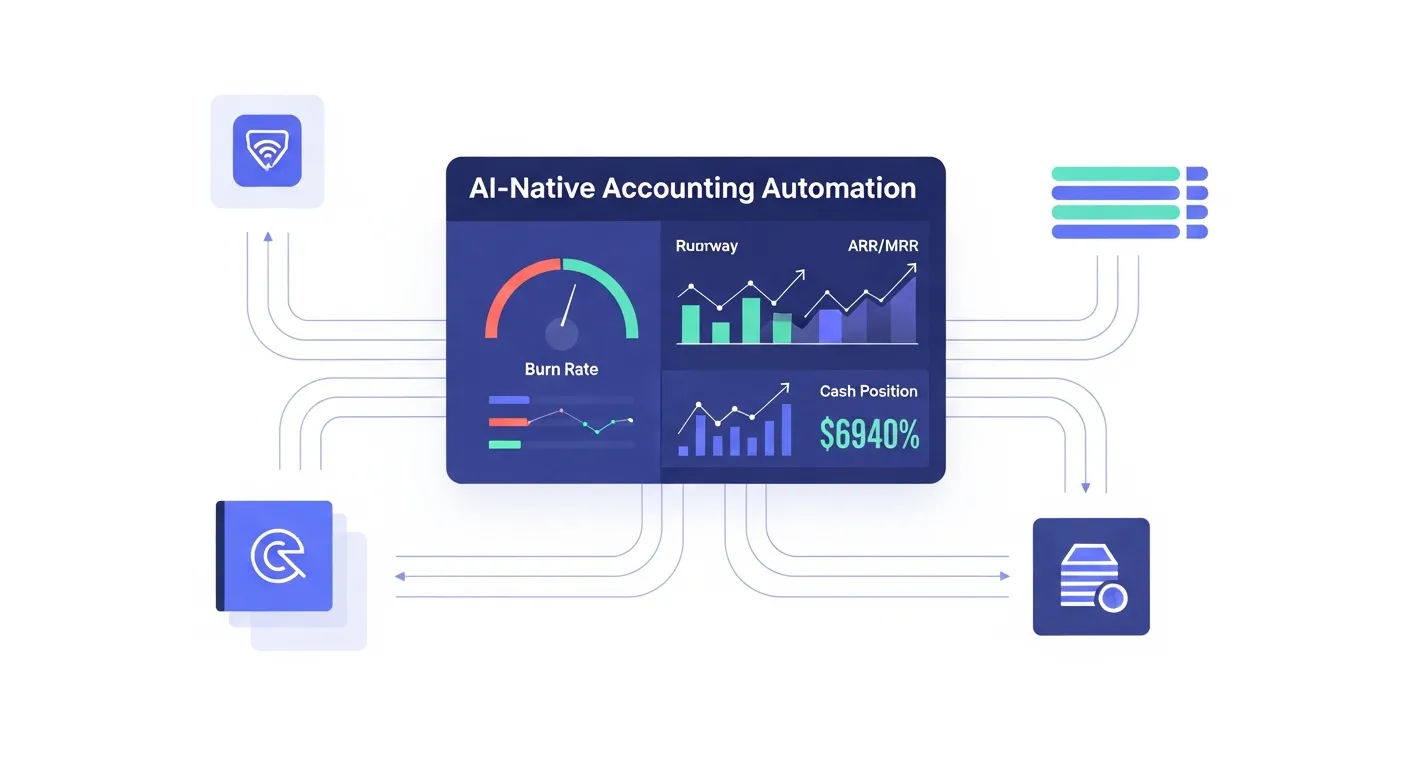
Puzzle is AI-native accounting software built for startups and the accounting firms that serve them. The software delivers up to 98% automated transaction categorization, real-time burn rate and runway tracking, and simultaneous cash and accrual accounting without duplicate work.
Puzzle's AI automation categorizes and matches transactions with accuracy rates reaching 98%. The software updates startup metrics including burn rate, runway, ARR/MRR, and cash position daily. Automated dual-basis accounting runs cash and accrual reporting simultaneously. Native integrations with Stripe, Mercury, Ramp, Brex, and Gusto connect in minutes. AI Accuracy Reviews catch errors before they reach stakeholders, cutting month-end close time by up to 50%.
QuickBooks
QuickBooks holds the largest market share in small business accounting software. The software covers basic accounting functions and offers strong brand recognition, though it was built before the startup fintech stack existed.
What they offer:
Large network of accountants trained on the software
Basic invoicing, expense tracking, and financial reporting
Multiple pricing tiers starting around $30/month
Mobile app for transaction management
Good for: Businesses with traditional banking setups, companies already using QuickBooks, or those with accountants who exclusively work in QB.
Limitation:QuickBooks Live competes directly with accounting firms for bookkeeping clients. Integrations with Stripe, Ramp, and Mercury frequently break, requiring manual journal entries. The software doesn't track startup-specific metrics like burn rate or runway natively.
Bottom line: QuickBooks handles traditional accounting workflows but wasn't designed for startups running on Stripe, Mercury, and Ramp.
Xero
Xero is a cloud-native accounting solution with strong international presence and a large app marketplace. The software offers core accounting features with JAX, a conversational AI assistant for answering questions and creating invoices.
Cloud-based access with automated bank reconciliation
JAX conversational AI assistant for creating invoices and answering basic questions
Large ecosystem with 1,000+ third-party app integrations
Multi-currency support for international operations
Good for international businesses with operations across multiple countries needing multi-currency support, or companies already invested in the broader Xero app ecosystem.
Limitation: Relies on third-party apps for US fintech integrations with Stripe, Mercury, and Ramp instead of native connections. Doesn't track startup metrics like burn rate or runway. Revenue recognition requires third-party apps or manual work. Sells directly to businesses, competing with accounting firms.
Key features include competitive pricing with a free tier for businesses under $50K revenue, Zia AI assistant across Zoho products, connections to Zoho CRM and Projects, and core invoicing and expense tracking.
Best fit: Small businesses already using multiple Zoho products (CRM, Projects) who want basic accounting that connects to their existing tools.
Drawbacks: Missing startup metrics like burn rate and runway tracking. Revenue recognition capabilities are limited according to analyst reviews. The AI spans 55+ Zoho apps instead of focusing on accounting depth. No specialized tools for accounting firm partnerships.
Zoho Books works for general small businesses focused on low cost, but startups need real-time burn rate visibility and investor-ready financials that require purpose-built software.
FreshBooks
FreshBooks is cloud-based accounting software designed for freelancers and small service-based businesses. The software focuses on simplifying invoicing and time tracking with an intuitive interface.
FreshBooks offers professional invoicing with customizable templates and automated recurring invoices, time tracking features for billing clients accurately on hourly work, expense tracking with mobile receipt capture and categorization, and integration with payment processors for accepting credit cards and bank transfers.
FreshBooks works well for freelancers, consultants, and service-based businesses that bill clients hourly and need straightforward invoicing without complex accounting requirements. However, it lacks automated revenue recognition for SaaS businesses and doesn't provide startup metrics like burn rate or runway.
Wave
Wave offers free cloud-based accounting software targeting freelancers and very small businesses. The core functions cost nothing, making it accessible for businesses with minimal revenue.
What they offer:
Free accounting features with unlimited invoicing and expense tracking
Double-entry accounting and basic financial reports
Bank reconciliation with automated transaction imports
Mobile receipt scanning as paid add-on
Good for: Bootstrapped solopreneurs or very early-stage founders with simple bookkeeping needs and almost no budget.
Limitation: No live support without paying for upgrades. Missing startup metrics like burn rate and runway. No revenue recognition capabilities. Limited integrations with fintech tools.
Bottom line: Wave covers basic bookkeeping for free, but startups need the automation and real-time insights that come with purpose-built software.
NetSuite
NetSuite is an enterprise-level cloud ERP system from Oracle that includes accounting as part of a broader business management suite. The software targets complex, multi-entity organizations.
What they offer:
ERP capabilities integrating accounting with CRM, inventory, and operations
Multi-entity consolidation supporting multiple currencies and geographies
Real-time financial visibility with customizable dashboards
Fixed asset management and procurement workflows
Good for: Medium to large enterprises with complex multi-entity structures, international operations, and budget for 3-6 month implementations.
Limitation: Higher cost than startup solutions, complex implementation requiring consultants, steep learning curve, and too heavy for early-stage startups needing agile financial tools instead of full ERP systems.
Bottom line: NetSuite serves large enterprises, but startups need rapid setup, intuitive design, and startup metrics without enterprise complexity.
Sage Intacct
Sage Intacct is a cloud-based financial management solution designed for growing mid-market companies. The software provides advanced accounting features with strong reporting capabilities.
Sage Intacct offers customizable financial reporting with dimensional accounting capabilities, multi-entity and multi-currency support for complex structures, automation of reconciliations and financial close processes, and AICPA-preferred finance solution with strong compliance features.
Good for growing mid-market companies with 20+ employees that have outgrown basic accounting software and need deeper financial controls and reporting.
Designed for companies with 20+ employees, making it unnecessarily complex for early-stage startups. Higher price point than startup-focused solutions. Doesn't include startup-specific metrics like burn rate or runway. Implementation timeline of 3-6 months delays value realization for founders who need financial visibility now.
Feature Comparison Table of Cloud Accounting Software
The table below shows how different cloud accounting software solutions compare across key features that matter most for startups and their accounting partners. Puzzle is the only AI-native option built for early-stage companies, which explains why certain capabilities are automated here but require manual work or third-party apps elsewhere.
Feature
Puzzle
QuickBooks
Xero
Zoho Books
FreshBooks
Wave
NetSuite
Sage Intacct
AI-Native Automation
Yes
No
No
No
No
No
No
No
Real-Time Burn Rate
Yes
No
No
No
No
No
No
No
Runway Tracking
Yes
No
No
No
No
No
No
No
ARR/MRR Tracking
Yes
No
No
No
No
No
No
No
Dual-Basis Accounting
Yes
Manual
Manual
Manual
No
No
Yes
Yes
Revenue Recognition
Automated
Manual
Third-party
Limited
No
No
Yes
Yes
Native Stripe Integration
Yes
No
Third-party
Limited
Third-party
No
Third-party
Third-party
Native Mercury Integration
Yes
No
Limited
Limited
No
No
No
No
Partner-Only Model
Yes
No
No
No
No
No
No
No
Setup Time
Minutes
Hours
Hours
Hours
Hours
Months
Months
Months
Free Tier
Yes
No
No
Yes
No
Yes
No
No
Why Puzzle is the Best Cloud Accounting Software
Puzzle is the only cloud accounting software built AI-native from day one for venture-backed startups. While QuickBooks retrofits automation onto decades-old architecture and tools like Xero rely on third-party apps, Puzzle connects your financial stack in minutes and delivers the metrics founders actually need: burn rate, runway, and ARR/MRR updated daily.
The partner-only model sets Puzzle apart. Accounting firms trust us because we never compete for their clients. No bookkeeping services, no direct-to-business offerings. QuickBooks Live and other providers actively steal your accountant's clients. We don't.
Cash shortfalls kill more startups than bad products. Waiting weeks for month-end close means finding problems too late to fix them. Puzzle gives you the numbers today so you can adjust course before cash hits zero.
Final Thoughts on Selecting Cloud Accounting Software
Most cloud accounting software gets the basics right, but startups need more than digitized spreadsheets. You need burn rate visibility today, not three weeks from now when your accountant finishes the close. The right software connects your fintech stack without breaking every other week and shows you the metrics investors actually ask about. If that sounds like what you're missing, you can book a demo to walk through how Puzzle handles your specific setup.
FAQ
How do I choose the right cloud accounting software for my startup?
Start by looking at your fintech stack and find software with native integrations to tools you already use like Stripe, Mercury, or Ramp. Then assess whether you need startup-specific metrics like burn rate and runway tracking, or if basic bookkeeping features will suffice. Finally, consider whether the software saves time through automation or just digitizes manual work.
Which cloud accounting solution works best for early-stage companies with limited resources?
Wave offers free core features for bootstrapped solopreneurs with simple needs, while Puzzle provides AI-native automation with up to 98% automated categorization and real-time burn rate tracking for startups that need faster insights and less manual work. FreshBooks works well for freelancers focused on invoicing, but lacks startup metrics.
What's the difference between cloud accounting software built for startups versus general small businesses?
Startup-focused software tracks metrics like burn rate, runway, and ARR/MRR that general solutions miss. It also handles revenue recognition for SaaS businesses automatically and integrates natively with modern fintech tools. General small business software typically requires manual tracking of these metrics through spreadsheets or third-party apps.
Can I use free cloud accounting software if I'm planning to raise venture capital?
Free options like Wave cover basic bookkeeping but lack the dual-basis accounting and investor-ready reporting most VCs expect. You'll likely need to upgrade before fundraising so you can generate accrual-based financials and track the metrics investors care about without manual spreadsheet work.
When should I switch from my current accounting software to a more advanced solution?
Consider switching when you're spending more than 10 hours monthly on manual categorization and reconciliation, when your current integrations break frequently requiring manual journal entries, or when you need real-time visibility into burn rate and runway but have to wait weeks for month-end close.
Let us help you solve your financial puzzles.
Thank you for being part of our Puzzle community. Stay tuned!
Oops! Something went wrong while submitting the form.