What Are the Best Real-Time Accounting Software Solutions for Startups? (September 2026)
Startup Accounting
What Are the Best Real-Time Accounting Software Solutions for Startups? (September 2026)
Compare the best real-time accounting software solutions for startups in February 2026. See which platforms offer daily insights and automation for founders.
Sasha Orloff
2.17.26
In article:
Accounting. Simplified
A bad product lacks competitive advantage. Successful businesses have something unique that's hard to copy. It could be cost efficiency, brand power, or proprietary tech. Without this, you're just waiting to get outperformed. Think of physical retailers being outperformed by e-commerce.
Thank you for being part of our Puzzle community. Stay tuned!
Oops! Something went wrong while submitting the form.
Your board deck needs current burn rate and runway projections, but your books are still stuck in January because month-end close takes forever. So you do what most founders do: manually export CSVs from your bank, paste them into a spreadsheet, build a runway model on guesswork, and then wait on your bookkeeper to close the month before you get any real numbers. By the time the data arrives, decisions have already been made on stale information. Continuous accounting solves this by automating transaction categorization and keeping your financials current every single day instead of scrambling at month-end. We reviewed the top real-time accounting solutions specifically for the needs of venture-backed startups, not generic small businesses.
TLDR:
Real-time accounting software updates your financials daily instead of monthly.
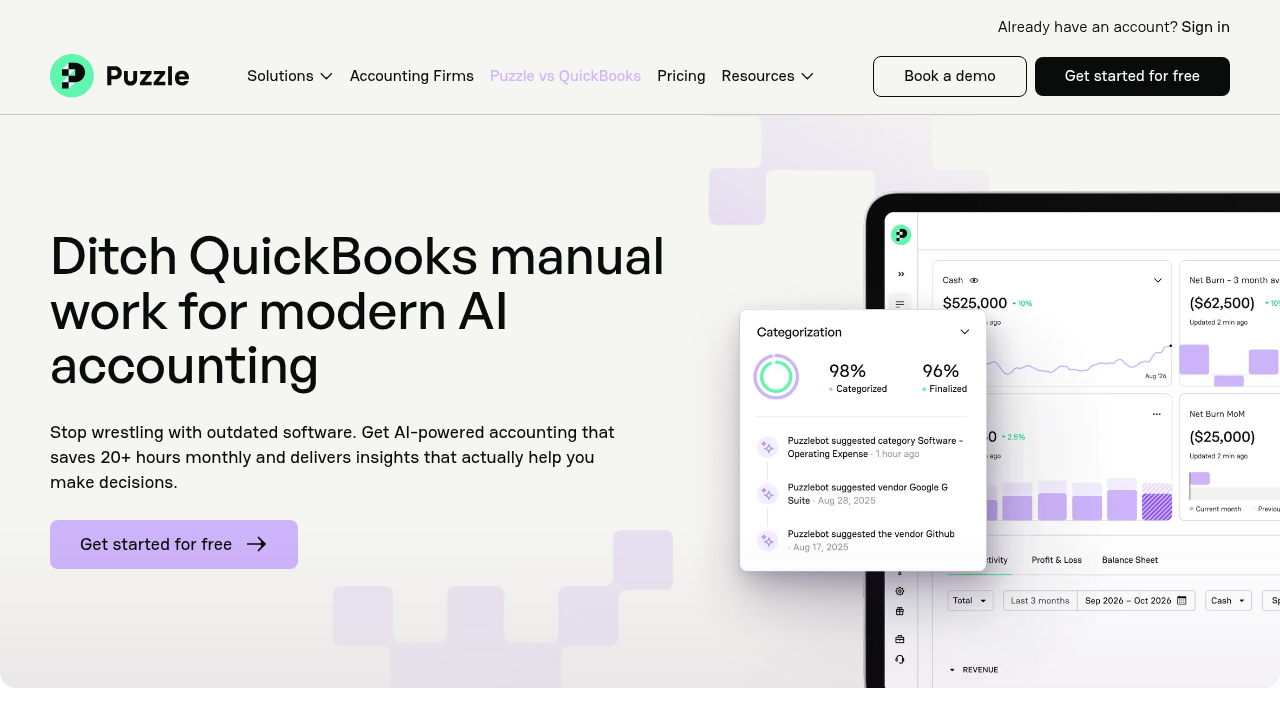
Puzzle automates 98% of transaction work and cuts month-end close time by 50%.
Separately, 98% of accountants surveyed report improved accuracy as the top benefit of automation.
You get instant visibility into burn rate and runway before cash problems become fatal.
AI-native systems learn and adapt; legacy tools still depend on fixed rules and manual review.
Puzzle is AI-native accounting software that integrates with your fintech stack in minutes.
What Is Real-Time Accounting Software?
Real-time accounting software processes data continuously, offering daily financial insights rather than static, post-month-end reports. Legacy tools were built for batch processing, forcing founders to drive their business looking in the rearview mirror with outdated numbers.
Why legacy accounting tools fall short for startups
For early-stage companies, cash is oxygen. You need instant visibility into burn rate and runway. With 80% of businesses planning to adopt real-time payments by 2026 and B2B real-time payment transactions growing 63% year-over-year, instant payment processing and reconciliation have become critical competitive advantages.
How continuous accounting works
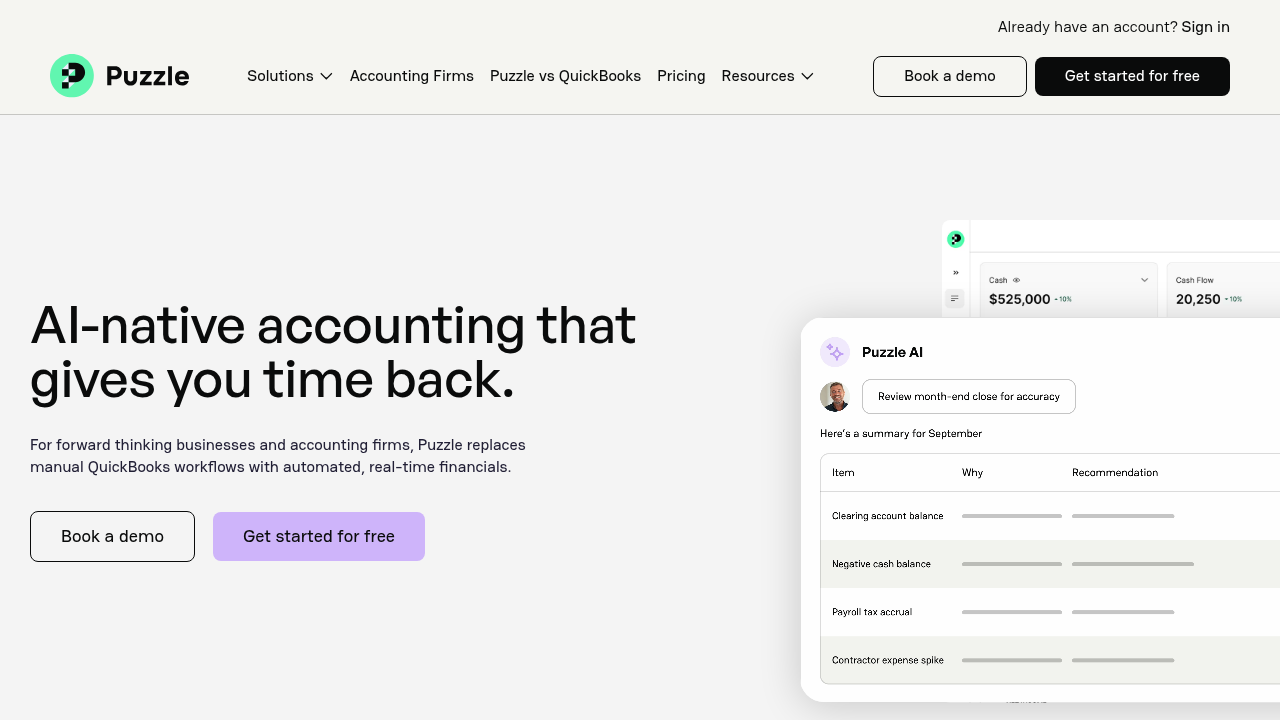
Real-time startup accounting software achieves this by connecting directly to your banks, credit cards, and tech stack, like Stripe and Gusto, via API. As transactions occur, the system automatically syncs and categorizes them. This moves accounting from a monthly compliance chore to a live view of your financial health. For a deeper look at how AI agent workflows power the close process, see our guide to AI agents for month-end close.
How We Ranked Real-Time Accounting Software
Our ranking approach
Most software reviews treat venture-backed startups like local dry cleaners. We looked at these solutions based on the strict demands of high-growth tech companies. We ranked active financial intelligence above static digital ledgers.
Our criteria included:
AI Automation: Systems must automate 90% or more of transaction categorization.
Native Stack Integrations: Deep connections with tools like Stripe, Mercury, Ramp, and Gusto are mandatory.
Startup Metrics: Automatic tracking of burn rate, runway, and ARR.
Daily Visibility: Insights must be available immediately, not weeks after month-end.
Partner Alignment: We favored vendors that partner with accounting firms instead of competing against them.
Data Security: Vendors must meet SOC 2 compliance standards, with encryption at rest and in transit, and role-based access controls to protect sensitive financial data.
Data Portability: The ability to export your full general ledger, transaction history, and reports in standard formats is required so your data is never locked in.
Best Overall Real-Time Accounting Software: Puzzle
Puzzle is an AI-native accounting system built for venture-backed startups and tech-forward accounting firms. It connects directly to Stripe, Mercury, Brex, Ramp, and Gusto, then uses AI to categorize and reconcile nearly all transactions without rules spreadsheets.
What they offer:
Up to 98% automated transaction categorization with AI that learns from your decisions over time.
Live dashboards tracking burn rate, runway, ARR, MRR, and cash position without manual exports.
Dual-basis accounting that maintains cash and accrual views together, including automated revenue recognition and deferred revenue schedules.
A partner-only model for firms, with no competing bookkeeping services and support for scaling client work.
Pros and cons
Pros:
Up to 98% automated transaction categorization that learns from your decisions over time.
Native startup metrics including burn rate, runway, and ARR tracked in a live dashboard.
Dual-basis accounting with automated revenue recognition and deferred revenue schedules.
Partner-only model that never competes with your accounting firm for clients.
Deep API integrations with Stripe, Mercury, Ramp, Brex, and Gusto built in from the start.
Cons:
Built for US-based startups, so international entities may find it a partial fit.
Heavy multi-currency statutory reporting may require supplemental tools for other jurisdictions.
What sets Puzzle apart
Teams using Puzzle report up to 50% reductions in month-end close time, with case studies like Burkland cutting close by 25% and Trivium shrinking bank reconciliations from two hours to about five minutes. AI Accuracy Reviews catch anomalies so accountants keep control while automation handles most of the grunt work.
Puzzle offers transparent per-seat pricing with a free trial available, and pricing scales with the number of entities and team members. Visit puzzle.io for current plans.
Good for: US-based startups from pre-seed through Series B that rely on Stripe, Ramp, Mercury, and Gusto and want daily visibility into runway without hiring a full-time controller, plus accounting firms serving those clients.
Limitation: International entities with heavy multi-currency consolidations may still pair Puzzle with regional tools for statutory reporting in other jurisdictions.
Bottom line: Choose Puzzle if you want an AI-first general ledger designed around fintech integrations, real-time metrics, and a partner-first model for firms.
QuickBooks Online
QuickBooks Online remains the default for many small businesses. It covers chart of accounts, invoicing, basic reports, and tax prep, and most bookkeepers already know the interface. For traditional service companies and local retailers, it still gets the job done.
What QuickBooks Online offers:
Broad feature coverage across invoicing, expenses, basic inventory, and tax workflows.
A large ecosystem of accountants, apps, and third-party services.
Decent bank feeds and rule-based categorization for straightforward transaction patterns.
Pros and cons
Pros:
Wide feature coverage across invoicing, expenses, and tax workflows.
Large accountant ecosystem with broad familiarity among bookkeepers and CPAs.
Low barrier to entry with straightforward onboarding for traditional businesses.
Cons:
Rules-based automation that requires manual configuration and static rule management.
No native startup metrics such as burn rate, runway, or ARR.
Modern fintech integrations with tools like Stripe, Ramp, or Mercury often require manual work or connector apps.
Where QuickBooks Online falls short for startups
For startups, the pain points show up quickly. Integrations with Stripe, Ramp, and modern fintech stacks often require manual journal entries or brittle connector apps. Advanced revenue recognition for SaaS needs spreadsheets, and startup metrics like runway or burn rate require custom reports or separate tools.
QuickBooks Online starts at around $35/month for its Simple Start plan, with higher tiers available for more users and features.
Good for: Traditional businesses that need a general-purpose accounting package with strong accountant familiarity and do not depend heavily on complex SaaS revenue or multi-app fintech flows.
Limitation: Rules-based automation and legacy architecture make it harder to achieve daily, AI-native visibility; startup metrics and modern integrations usually need extra software and manual effort.
Bottom line: Pick QuickBooks Online if you are a conventional small business with a local accountant and can live with monthly closes and manual spreadsheets for your key startup KPIs. For a direct comparison, see our Puzzle vs QuickBooks breakdown.
Xero
Xero is a global accounting system popular with multi-entity and multi-currency companies. It offers strong bank feeds, a polished interface, and a large marketplace of add-ons for inventory, expense management, and reporting.
What Xero offers:
Built-in multi-currency support and tools for international entities.
Bank feeds and reconciliation workflows that work well for many industries.
A marketplace of integrations to extend functionality across payroll, inventory, and reporting.
Pros and cons
Pros:
Strong multi-currency support across international entities
Large app marketplace with many third-party integrations
Polished interface with clean bank feeds and reconciliation workflows
Cons:
Startup metrics like burn rate and ARR require third-party extensions
SaaS revenue recognition depends on add-ons or custom setup
Not built for US venture-backed workflows or fintech stack integrations
Where Xero works best
Xero uses an app-store model. That flexibility is powerful, but it often means startups must stitch together multiple tools to replicate a real-time view of burn and SaaS metrics. Revenue recognition for subscription businesses usually depends on extensions or custom setups, and many venture-backed founders still track runway in spreadsheets alongside Xero. Founders looking for Xero alternatives built for US startups can compare options purpose-built for venture-backed workflows.
Xero pricing starts at around $20/month for the Starter plan, with higher tiers unlocking more users, multi-currency support, and expense features.
Good for: Global SMEs and startups that care most about multi-currency accounting and are comfortable assembling a stack of add-ons to reach real-time metrics.
Limitation: Less tailored to US-based, venture-backed SaaS workflows; startups often need third-party apps for ARR, runway, and automated SaaS revenue recognition.
Bottom line: Choose Xero when international compliance and multi-currency requirements dominate, and you are willing to assemble a best-of-breed stack on top.
Zoho Books
Zoho Books is a budget-friendly accounting tool aimed at small businesses, especially those already using Zoho CRM or other Zoho apps. It covers core bookkeeping and basic automation in a tightly integrated suite.
What Zoho Books offers:
A free tier for businesses under $50K in annual revenue.
Tight connections with the broader Zoho ecosystem, including CRM and billing.
General-purpose AI help via Zia for simple questions and workflows.
Pros and cons
Pros:
Free tier available for businesses under $50K in annual revenue.
Tight integration across the Zoho ecosystem (CRM, billing, and more).
Low cost relative to startup-focused accounting tools.
Cons:
No native burn rate or ARR dashboards for venture-backed companies.
Limited fintech integrations with tools like Mercury, Ramp, and Brex.
Not built for the reporting or workflow needs of high-growth startups.
Zoho Books and startup fit
Zoho targets generic SMBs more than venture-backed startups. It does not surface burn rate, runway, or ARR as first-class metrics, and revenue recognition for SaaS usually requires workarounds. Integrations with tools like Mercury, Brex, or Ramp are limited relative to startup-focused systems.
Zoho Books has a free tier for businesses under $50K in annual revenue, with paid plans starting around $20/month.
Good for: Budget-conscious small businesses already invested in Zoho tools that need basic bookkeeping and invoicing within that ecosystem.
Limitation: Lacks native startup dashboards, SaaS revenue workflows, and deep fintech integrations that founders and investors expect.
Bottom line: Consider Zoho Books if you are a small, non-venture business aligned with Zoho CRM and value low cost more than startup-specific reporting.
Digits
Digits promotes itself as an autonomous general ledger, using AI agents to handle many bookkeeping tasks for small businesses. It offers visual views on cash flow and categorization meant to reduce hands-on work.
What Digits offers:
AI-driven categorization and visual dashboards for transaction activity.
Automation for routine bookkeeping tasks aimed at small business owners.
Connections to common banks and accounting systems, depending on the configuration.
Pros and Cons
Pros:
AI-driven categorization cuts down on manual bookkeeping for SMBs.
Visual dashboards give a quick read on cash flow and transaction activity.
Reduces hands-on work for small business owners without accounting backgrounds.
Cons:
Not designed for venture-backed startups with complex reporting needs.
Lacks native ARR, runway, and dual-basis reporting.
Functions as a bookkeeping companion rather than a full accounting core.
Digits and startup fit
Digits focuses more on general small businesses than venture-backed SaaS. Startup-specific metrics like ARR, runway, and dual-basis reporting may not be core to the product. It is closer to a smart companion for existing bookkeeping workflows, and not a full AI-native accounting core for complex stacks.
Digits pricing is available on request and varies by business size and scope.
Good for: Small business owners who want a more automated, visual layer on top of traditional bookkeeping with less manual categorization.
Limitation: Not designed around the needs of high-growth, venture-backed startups with complex SaaS revenue and investor reporting.
Bottom line: Use Digits if you are a standard SMB looking for AI help with bookkeeping, not a startup CFO preparing frequent investor-ready financials.
How to choose real-time accounting software
Not every accounting tool fits every startup. Use these five criteria to narrow your choice before committing to a system.
Startup-specific metrics: If your board expects burn rate, runway, and ARR in every update, you need a tool that tracks those natively. General accounting software will push you back to spreadsheets for the numbers that matter most.
Depth of fintech integrations: Check whether the software connects directly to Stripe, Mercury, Ramp, Brex, and Gusto via API. Shallow or connector-dependent integrations break under volume and create manual work that defeats the purpose of automation.
Partner-safe model for accounting firms: If you work with an accounting firm or plan to, confirm the vendor does not sell bookkeeping services directly to clients. A vendor that competes with your firm puts that relationship at risk.
Multi-currency and international needs: If you operate across multiple countries or currencies, weight that requirement heavily. Tools built for US-based startups may handle domestic workflows well but fall short on global consolidations and statutory reporting.
Budget and team size: Pre-seed founders without a finance hire need high automation and simple onboarding. Series A and B companies with a controller or outsourced CFO need deeper reporting and firm-friendly workflows. Match the tool to where you are now and where you expect to be in 12 months.
Feature Comparison Table of Real-Time Accounting Software
Feature
Puzzle
QuickBooks Online
Xero
Zoho Books
Digits
AI Automation Level
98% automated categorization with AI-native architecture that learns and adapts continuously
Rules-based automation requiring manual configuration and static rule management
Marketplace-dependent automation via third-party apps
Basic AI assistance via Zia for general queries, limited transaction automation
AI agents for autonomous bookkeeping focused on general small businesses
Startup Metrics Tracking
Native burn rate, runway, and ARR tracking in live dashboard
Requires custom reports or third-party apps for startup-specific metrics
No native burn rate, runway, or ARR tracking for venture-backed companies
General financial tracking without startup-specific KPIs
Tech Stack Integrations
Deep native integrations with Stripe, Mercury, Ramp, Brex, and Gusto via API
Basic integrations available but designed for traditional business tools
Marketplace model requiring third-party apps to complete fintech stack
Limited integrations with startup-specific tools like Mercury or Ramp
Focused on general small business integrations rather than startup tech stack
Revenue Recognition
Automated revenue recognition for SaaS models with simultaneous cash and accrual accounting
Manual setup required, complex for subscription-based revenue models
Available but often requires additional configuration or apps
Insufficient for SaaS revenue recognition requirements
General revenue tracking without SaaS-specific automation
Month-End Close Time
50% reduction in close time, bank reconciliations from 2 hours to 5 minutes
Traditional monthly batch processing with heavy manual work required
Standard month-end close process with manual oversight needed
Basic month-end workflows designed for general SMBs
Automated processes for general bookkeeping tasks
Daily Financial Visibility
Real-time dashboard with instant visibility into financial health updated continuously
Data available after manual entry and categorization, typically monthly updates
Daily bank feeds available but requires setup and management
Basic daily transaction feeds without real-time startup insights
Continuous processing for general ledger maintenance
Target Customer
Venture-backed startups and high-growth tech companies exclusively
General small businesses, traditional companies, and local service businesses
Multi-country entities requiring global compliance and multi-currency support
Budget-conscious SMBs earning under $50k, especially Zoho CRM users
General small businesses like retail stores requiring autonomous bookkeeping
Accounting Partner Model
Partner-exclusive model, never competes with accounting firms for clients
Offers both software and Intuit bookkeeping services, competing with partners
Marketplace model with various service provider relationships
Integrated with Zoho ecosystem, no specific partner protection
Autonomous model positioned as replacement for traditional bookkeeping
Why Puzzle Is the Best Real-Time Accounting Software for Startups
Puzzle sits at the intersection of AI automation, fintech integration, and startup reporting. It pulls in data from Stripe, Ramp, Mercury, Gusto, and similar tools, then uses an AI-native architecture to process transactions, reconciliations, and revenue recognition with minimal manual intervention. Founders get daily clarity on cash, burn, runway, ARR, and MRR, while accounting firms cut close times and expand margins.
Case study results
For venture-backed companies under pressure from boards and investors, that combination of speed, precision, and real-time visibility means your team spends less time closing the books and more time acting on what they show.
Final Thoughts on Modern Accounting Software
The monthly close made sense when data moved slowly, but your startup doesn't operate that way anymore. Get daily financial insights so you can adjust spending, track runway, and plan hiring based on what's happening right now, not weeks after the fact. Choose software built for how startups actually work, not for how accounting used to be done.
FAQs
Which real-time accounting software is best for early-stage startups with limited accounting knowledge?
Puzzle is built for founders without accounting backgrounds, with up to 98% automated categorization and native integrations with tools like Stripe and Mercury, plus dashboards for burn and runway. QuickBooks Online suits traditional businesses but demands more manual setup and does not surface startup metrics without extra work.
How do I choose between real-time accounting software options if I need multi-currency support?
If multi-currency management is your primary requirement, Xero offers strong global compliance and currency features. If you are a US-based startup that cares more about automation and real-time burn tracking, Puzzle’s AI-first design and fintech integrations provide better daily insight with fewer add-ons.
Can real-time accounting software actually reduce month-end close time?
Yes. Teams using Puzzle report up to 50% reductions in close time, with reconciliations dropping from about 2 hours to roughly 5 minutes thanks to continuous automation. By contrast, legacy systems still depend on manual batch work at month-end.
What's the difference between AI-native and AI-powered accounting software?
AI-native products like Puzzle were designed around AI from the start, so categorization, reconciliation, and accuracy checks run through learning models at the core. AI-powered tools bolt features onto older architectures, which often still rely on static rules and heavy manual oversight.
Should accounting firms choose software that offers their own bookkeeping services?
In most cases, no. If your vendor sells bookkeeping directly, you are effectively training a competitor. Puzzle’s partner-only model guarantees it will not provide bookkeeping services to your clients, letting firms adopt modern AI tools without risking their relationships.
How is AI-native accounting software different from traditional tools that added AI features?
AI-native products like Puzzle were designed from the ground up with AI at the core, so categorization, close workflows, and accuracy checks run through learning models at every step. Traditional tools bolt AI features onto older rule-based architectures, meaning the AI layer is often shallow and still relies on manual configuration and static rule management. The result is a meaningful gap in automation depth, especially for high-volume SaaS transaction flows.
How much time should a founder expect to spend on bookkeeping each month with AI-powered software?
Founders using Puzzle typically spend a few hours per month reviewing flagged items and approving decisions, compared to full days under manual or legacy systems. The AI handles categorization and surfaces exceptions for human review, so your role becomes approving calls rather than doing data entry. The exact time depends on transaction volume, but the reduction is consistent across early-stage companies.
Can real-time accounting software handle both cash and accrual accounting at the same time?
Yes. Puzzle maintains both cash and accrual views simultaneously through dual-basis accounting, so founders and investors can see the numbers they need without manual adjustments or separate workarounds. Most legacy tools require choosing one method, or maintaining parallel spreadsheets to produce both views.
Does AI accounting software automatically categorize investment-related transactions like equity events or cash sweeps?
It depends on the system. Puzzle builds categorization rules based on specific transaction description strings, so investment transactions from platforms like Carta or end-of-day sweep accounts are categorized once the system learns those patterns. If you connect these accounts early and review the initial auto-categorized transactions, the AI adapts quickly and handles them consistently going forward. Unusual one-time transactions may still surface for manual review, which is by design so your books stay accurate.
Let us help you solve your financial puzzles.
Thank you for being part of our Puzzle community. Stay tuned!
Oops! Something went wrong while submitting the form.